

Hugging Face 加速配置指南
本指南面向高校、科研机构、在读学生等学术用途,用于缓解国内网络环境下 Hugging Face 模型与数据集访问缓慢、下载失败的问题。
使用加速镜像:https://hf-mirror.com
该服务为第三方公益性质镜像节点,不承诺 100% 可用、不保证带宽、不保证长期稳定运行。
支持加速的内容
Section titled “支持加速的内容”- 模型仓库(models)的完整下载
- 数据集仓库(datasets)的完整下载
- Hugging Face 仓库内单个文件下载
- 断点续传下载(取决于工具与版本)
不涉及模型推理、在线 API、Spaces 服务加速。
1. 使用 huggingface-cli 加速下载
Section titled “1. 使用 huggingface-cli 加速下载”huggingface-cli 为 Hugging Face 官方命令行工具,可用于下载模型与数据集。
通过设置镜像地址,实现访问加速。
pip install -U huggingface_hub设置镜像地址
Section titled “设置镜像地址”export HF_ENDPOINT="https://hf-mirror.com"下载模型示例
Section titled “下载模型示例”演示模型:Qwen/Qwen2.5-7B-Instruct
hf download Qwen/Qwen2.5-7B-Instruct --local-dir ./models/Qwen2.5-7B-Instruct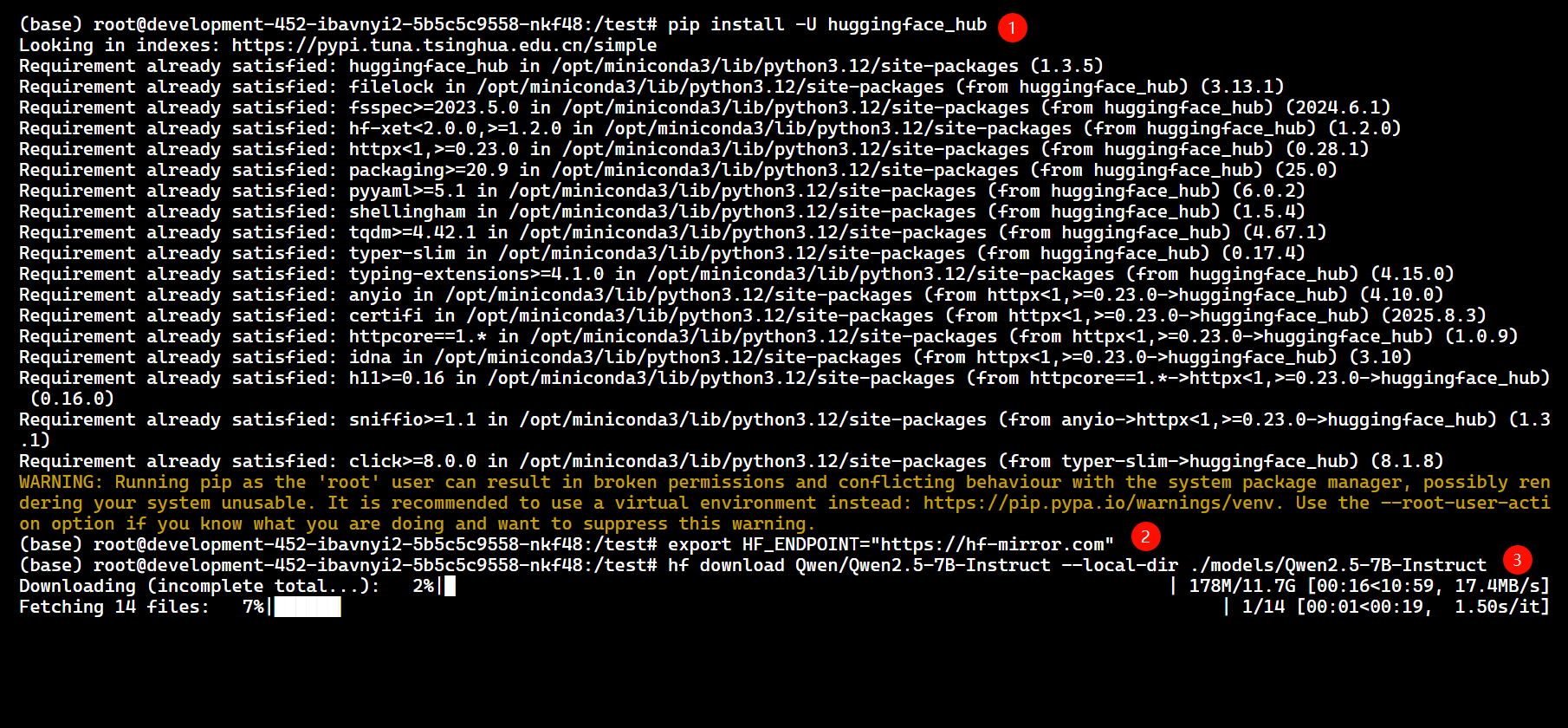
下载多模态模型示例
Section titled “下载多模态模型示例”hf download Qwen/Qwen2.5-VL-7B-Instruct --local-dir ./models/Qwen2.5-VL-7B-Instruct
下载数据集示例
Section titled “下载数据集示例”hf download lightonai/LightOnOCR-mix-0126 --repo-type dataset --local-dir ./datasets/LightOnOCR-mix-0126
网络不稳定时设置超时
Section titled “网络不稳定时设置超时”export HF_HUB_DOWNLOAD_TIMEOUT=302. 使用 hfd + 多线程下载工具加速
Section titled “2. 使用 hfd + 多线程下载工具加速”hfd 为第三方下载脚本,用于从 Hugging Face 获取仓库文件列表,并通过多线程下载工具拉取文件。
适用于:
- 大模型仓库
- 网络波动明显环境
- 需要精确控制下载文件的场景
wget -O hfd.sh https://hf-cdn.sufy.com/hfd/hfd.sh

chmod +x hfd.sh

mv hfd.sh /usr/local/bin/hfd

hfd --help
设置镜像地址
Section titled “设置镜像地址”export HF_ENDPOINT="https://hf-mirror.com"下载完整模型仓库
Section titled “下载完整模型仓库”演示模型:Qwen/Qwen2.5-32B-Instruct
hfd Qwen/Qwen2.5-32B-Instruct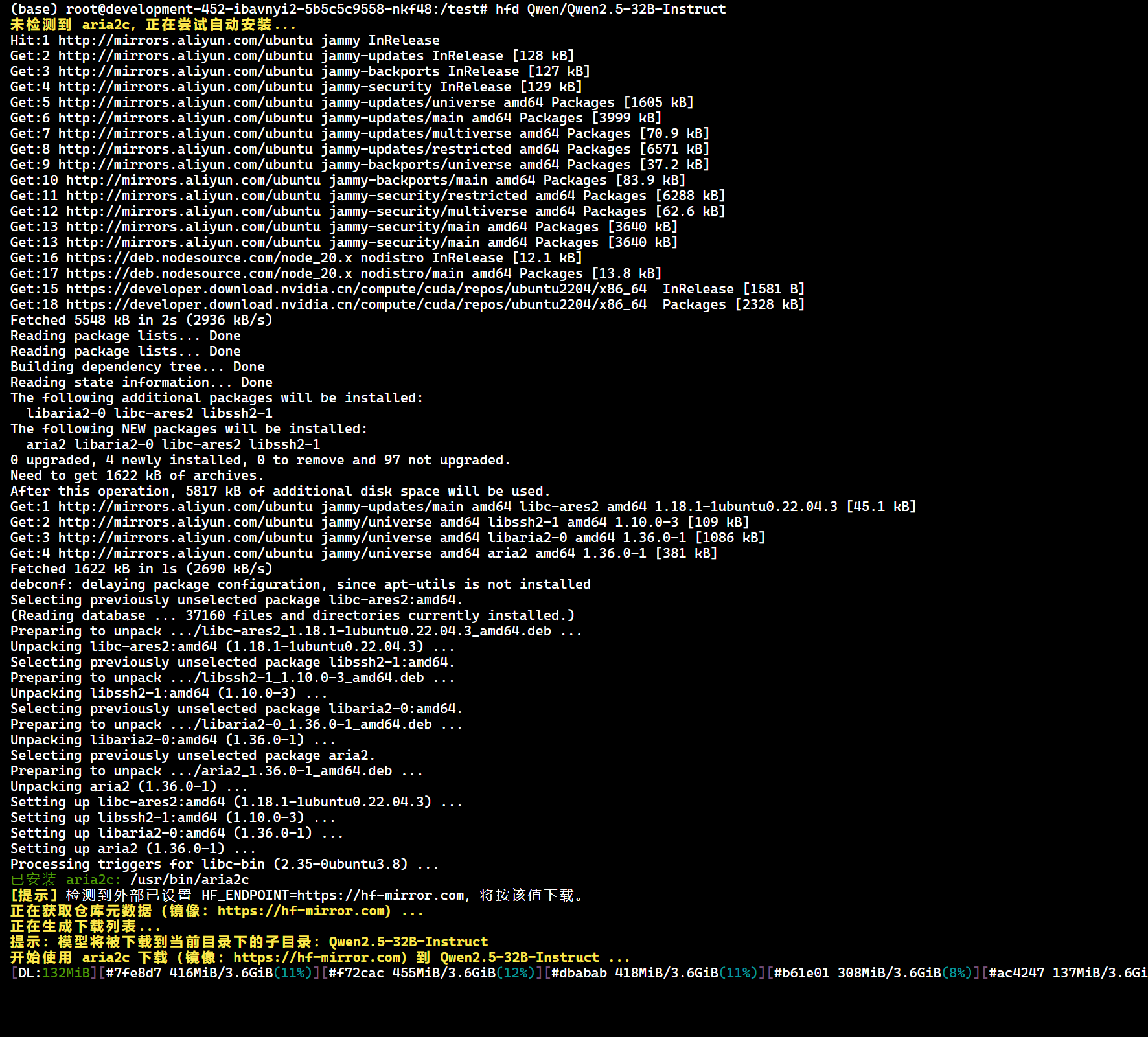
仅下载指定文件
Section titled “仅下载指定文件”hfd Qwen/Qwen2.5-32B-Instruct-GGUF --include qwen2.5-32b-instruct-q4_k_m.gguf
排除不需要的文件
Section titled “排除不需要的文件”hfd Qwen/Qwen2.5-7B-Instruct --exclude *.bin onnx/*
设置并发与线程数
Section titled “设置并发与线程数”hfd Qwen/Qwen2.5-32B-Instruct -x 4 -j 3
Windows 环境下可复制生成的文件直链,使用 IDM 进行多线程下载。
私有 / 受限模型下载
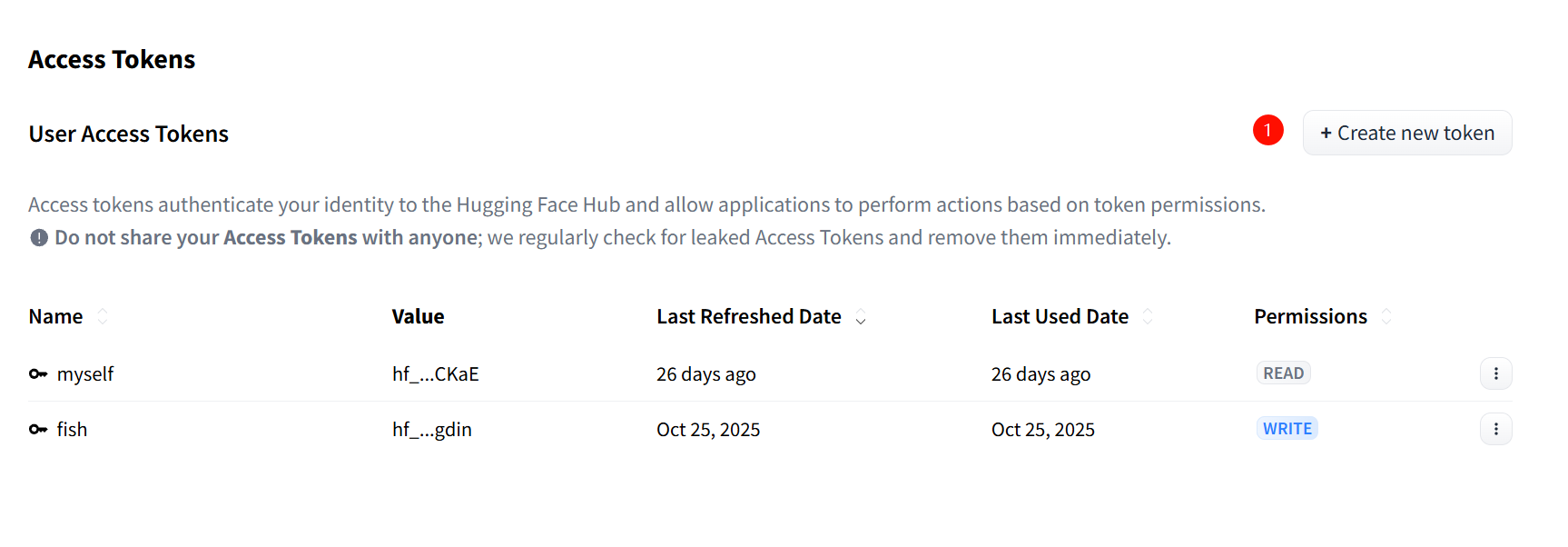
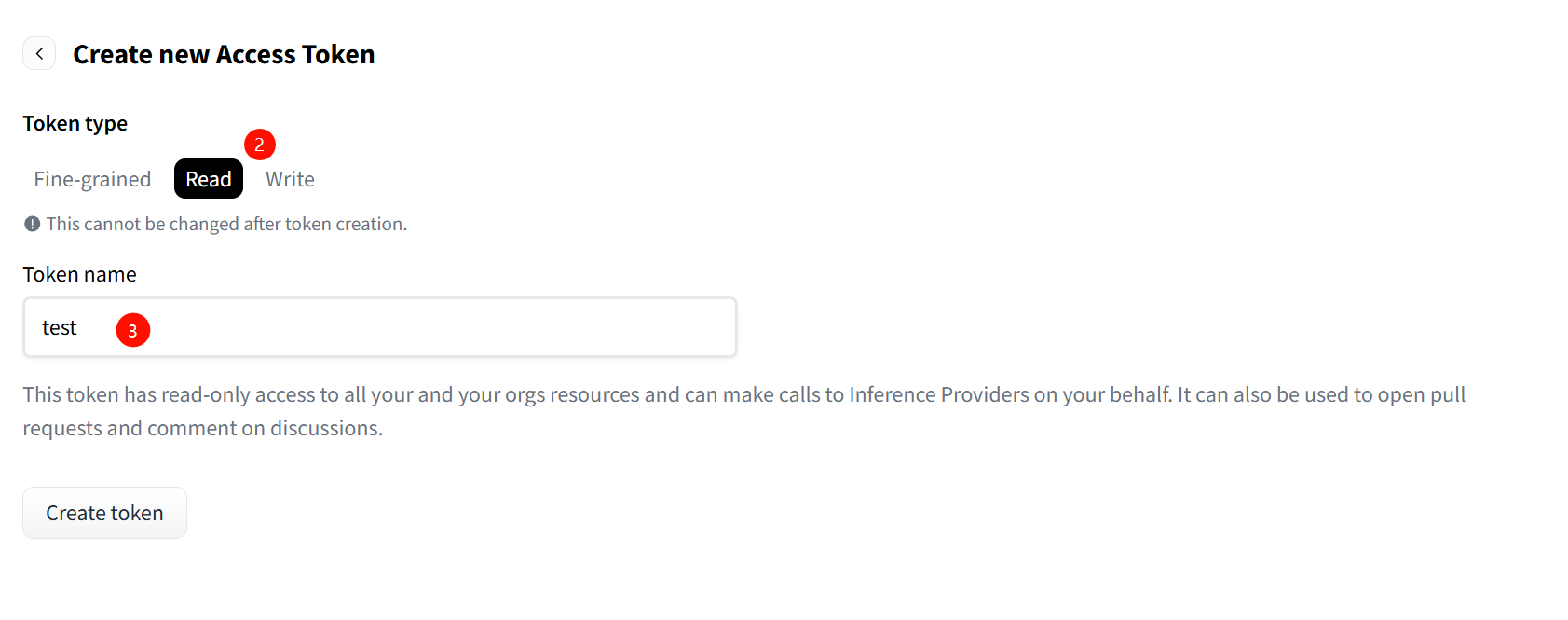
Section titled “私有 / 受限模型下载”私有模型或需要申请访问权限的模型,需使用 Hugging Face Access Token。
Token 获取地址:https://huggingface.co/settings/tokens
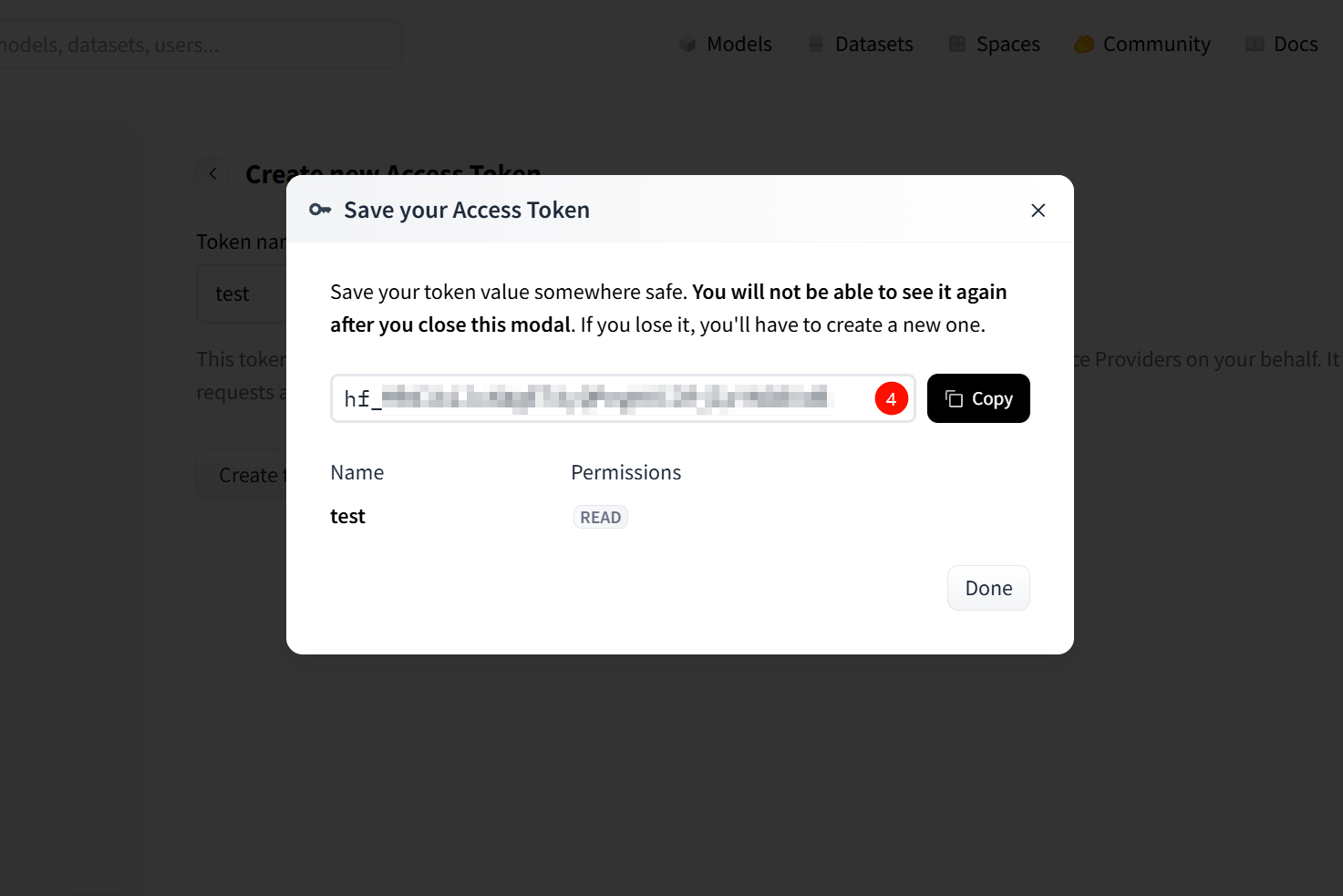
huggingface-cli:
huggingface-cli download meta-llama/Meta-Llama-3-8B-Instruct --token hf_xxx --local-dir ./models/Llama-3-8Bhfd:
hfd meta-llama/Meta-Llama-3-8B-Instruct --hf_token hf_xxx云主机方式(推荐)
Section titled “云主机方式(推荐)”- 启动云主机实例,并通过浏览器或 SSH 进入调试终端(Console)
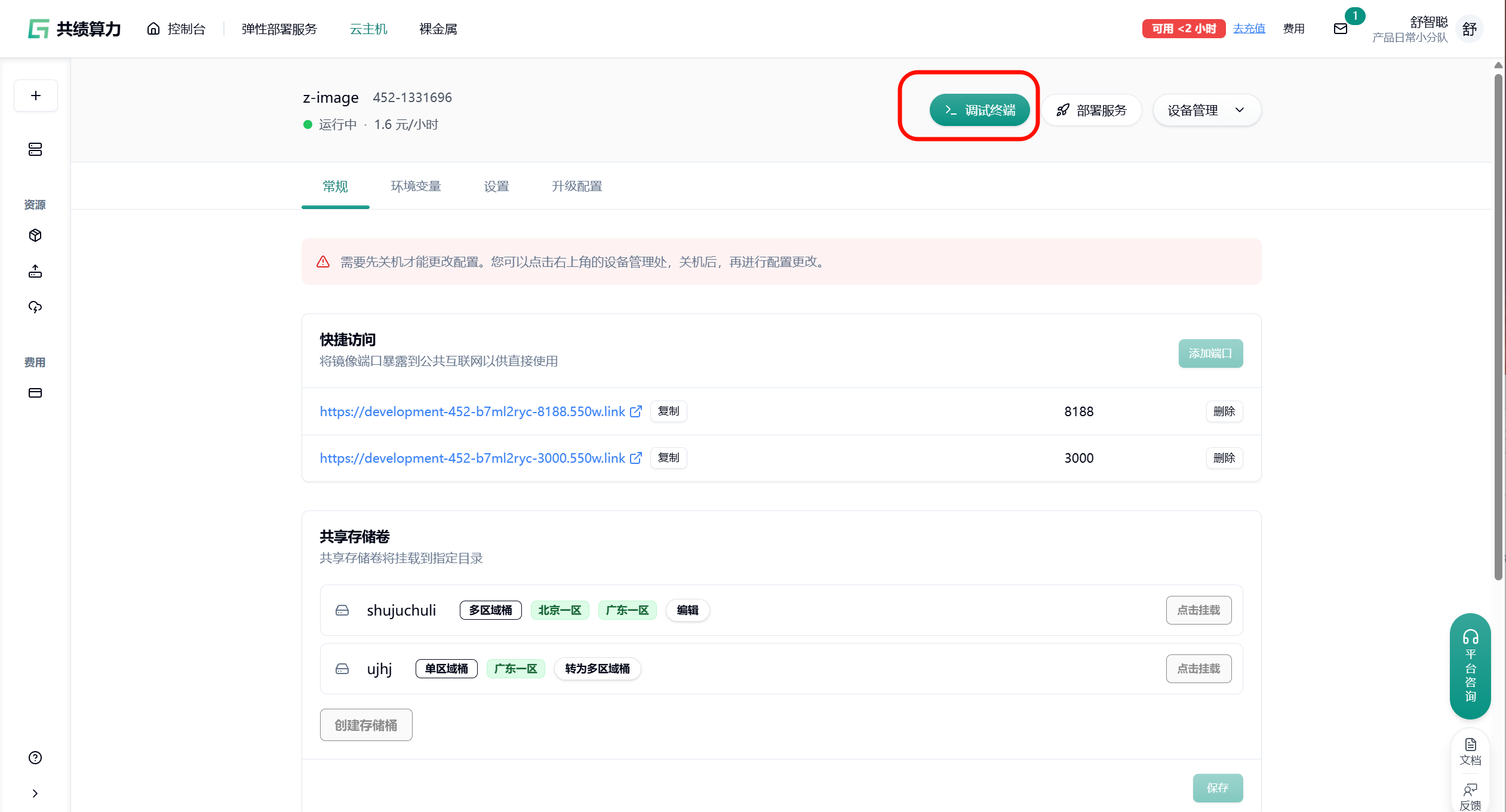
- 在终端中执行 huggingface 加速下载命令(示例):
hf download Qwen/Qwen2.5-VL-7B-Instruct --local-dir ./models/Qwen2.5-VL-7B-Instruct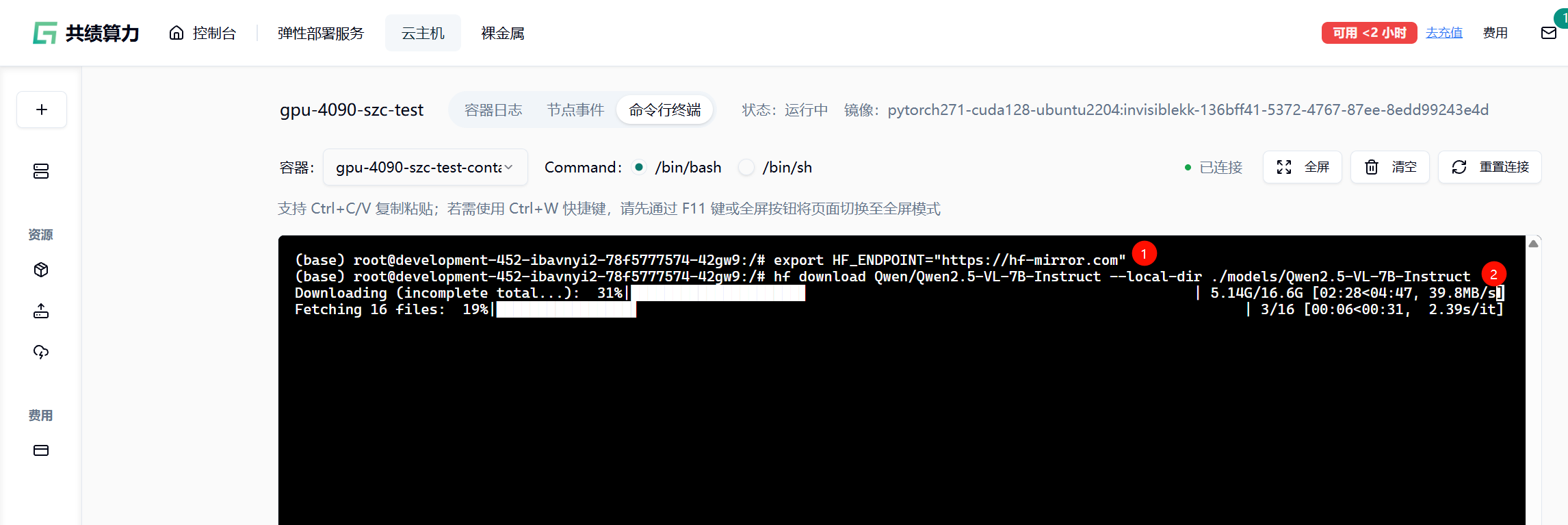
或下载 模型文件:
hf download lightonai/LightOnOCR-mix-0126 --repo-type dataset --local-dir ./datasets/LightOnOCR-mix-0126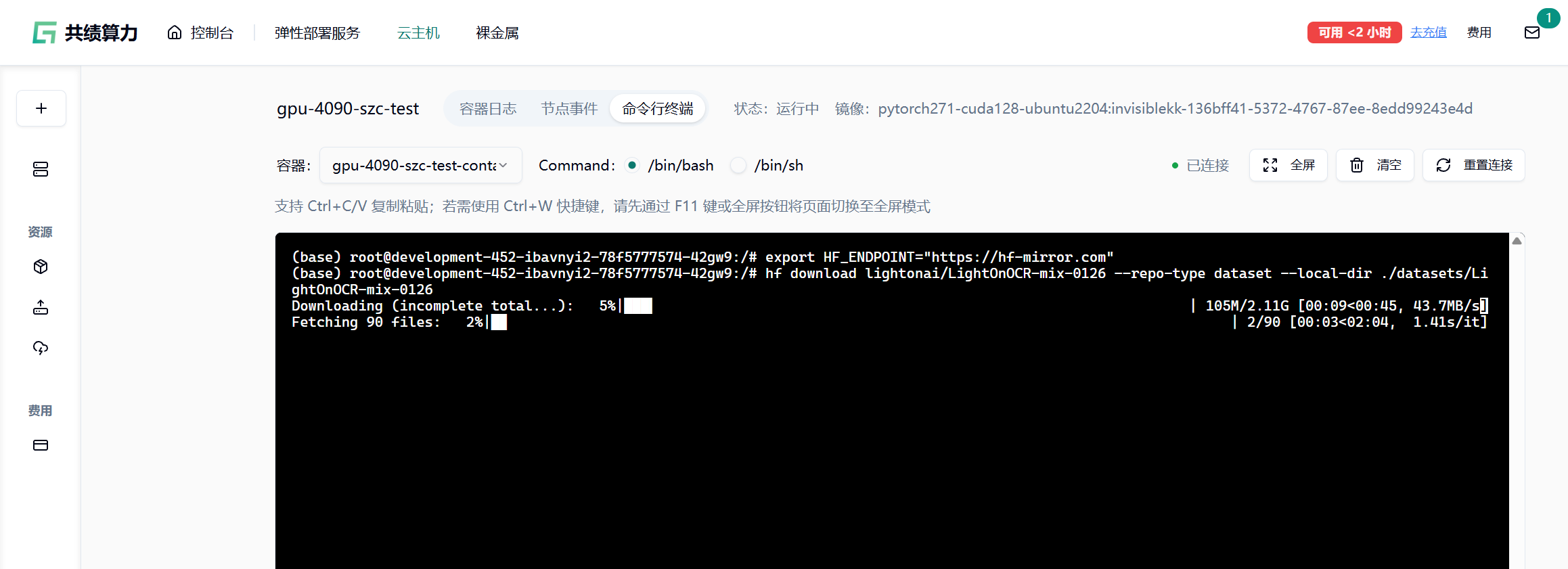
弹性部署服务方式
Section titled “弹性部署服务方式”弹性部署服务本身不支持直接提供命令行终端。 建议的正确操作流程:
- 先在云主机中按照上述步骤完成 huggingface 加速下载、依赖安装、环境配置等操作。
- 将配置完成后的环境打包保存为自定义镜像。
- 在弹性部署服务中选择使用该自定义镜像进行部署,即可继承已完成的 huggingface 加速配置。
这样可以确保弹性部署的实例开箱即用,无需每次手动加速。
- 镜像站为第三方服务,稳定性取决于节点状态
- 大模型下载过程中可能出现中断,可重复执行命令继续下载
- 部分仓库包含大量小文件,下载时间受并发与磁盘性能影响
- 不建议在长期脚本或 CI/CD 中硬编码镜像地址,建议通过环境变量统一管理
- 请勿用于商业用途或任何违法用途
祝学术研究与模型、数据集下载顺利~